
diados
Extension of the Day

diados

5.0 FREE
  • Screenshot 1

Description

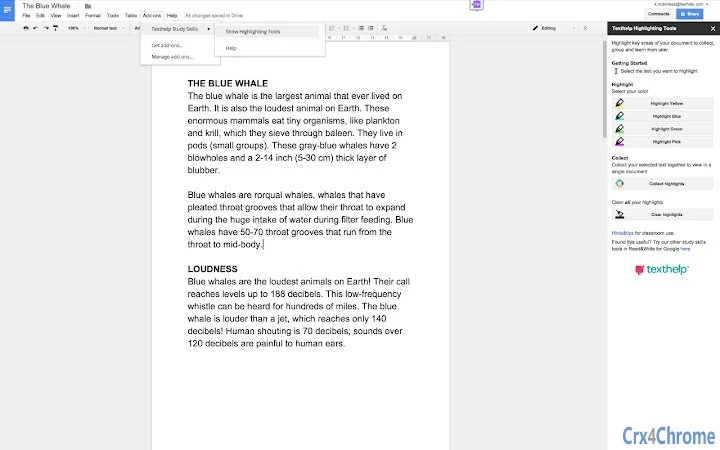
Use Texthelp’s Highlighting Tools to highlight key areas of your document to collect, group, and learn from later. Simply select and highlight the desired text and click “Collect Highlights” to extract it and place it in a new document (by color or location) for students or educators to review.Used by educators in the classroom to help students identify and group key facts together, indicate new words to learn, or collect research to assist with studying. Texthelp’s Highlighting Tools are great for all content and grade levels.Never used Highlighting Tools before? Give them all a try for free for 30 days. After 30 Days, you can continue to use one color highlighter and can collect and clear highlights. To keep using all four color highlighters, you can purchase a subscription to Read&Write for Google, a comprehensive set of reading, writing, and studying support tools for Google Docs, Web, PDFs, and ePubs. Read&Write for Google is available in the chrome store.

Guides & Tutorials for Texthelp Study Skills App for Chrome

How to install Texthelp Study Skills App for Chrome
  1. Click the Preview / Download button above.
  2. Once redirected, accept the terms and click Install.
  3. Wait for the Texthelp Study Skills App for Chrome download to finish on your device.
How to use Texthelp Study Skills App for Chrome

This software is primarily used for its core features described above. Open the app after installation to explore its capabilities.

User Reviews for Texthelp Study Skills App for Chrome 0

    No reviews found

Similar Apps


